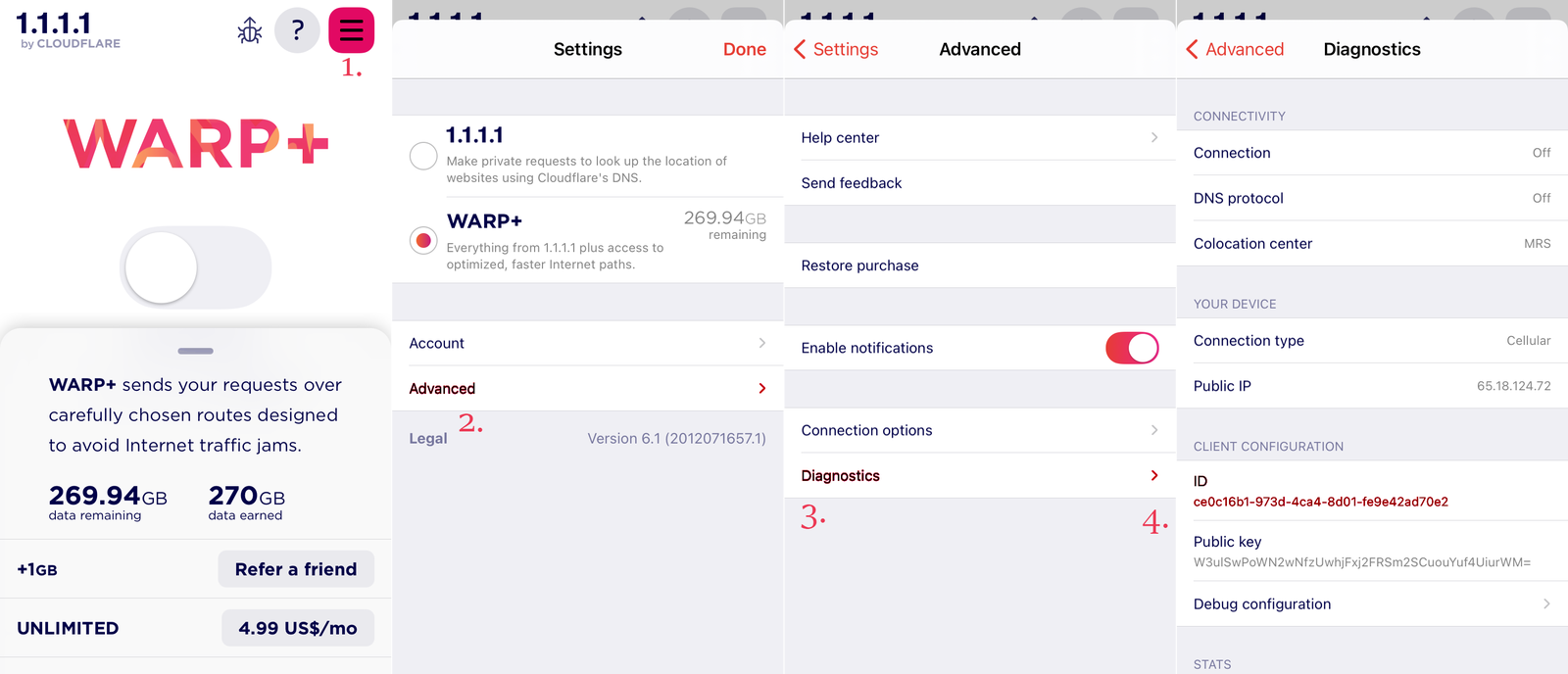
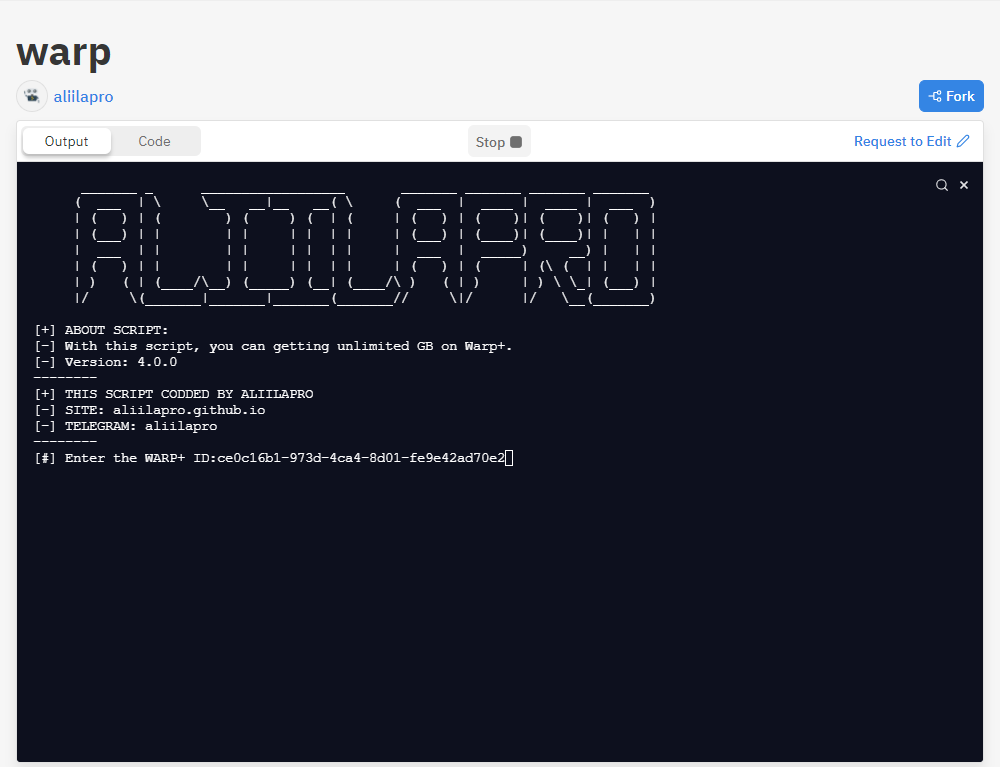
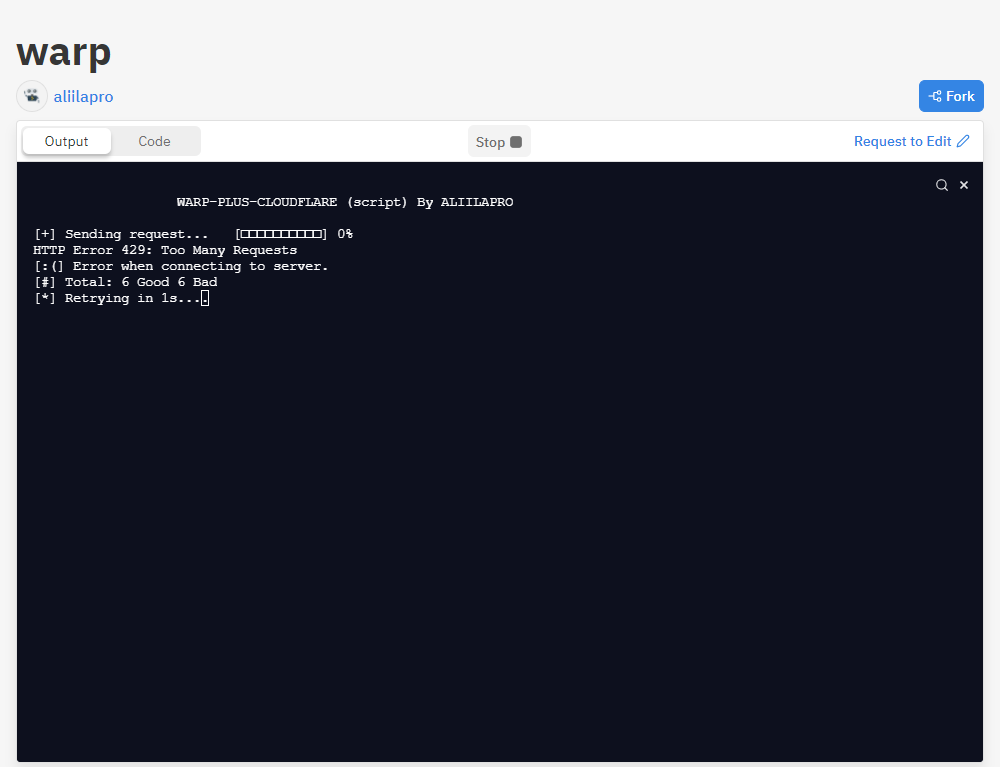
ပုံထဲမှာပါတဲ့ [#] Total: 6 Good 6 Bad ဆိုတာကတော့ 6 Good ဆိုတာ Server
နဲ့ချိတ်ဆက်မိတဲ့အတွက် 6 GB တိုးပြီးကြောင်းဖြစ်ပြီး 6 Bad ဆိုတာကတော့ Server
နဲ့ချိတ်ဆက်လို့မရတဲ့အတွက်ကြောင့် Fail ဖြစ်ကြောင်းကို ပြောတာပဲဖြစ်ပါတယ်။
အကယ်လို့သာ ကိုယ့်ရဲ့ ကွန်ပျူတာမှာ Local လုပ်ချင်တယ်ဆိုရင်တော့ … Server
တွေထဲမှာရှိတဲ့ Output ဘေးက Code ထဲမှာ ရှိသမျှအကုန်လုံးကို copy ကူးယူပြီး
Computer ထဲမှာ filename.py အနေနဲ့သိမ်းလိုက်ပါ။
python
import urllib.request
import json
import datetime
import random
import string
import time
import os
import sys
script_version = '4.0.0'
window_title   = f"WARP-PLUS-CLOUDFLARE By ALIILAPRO (version {script_version})"
os.system('title ' + window_title if os.name == 'nt' else 'PS1="\[\e]0;' + window_title + '\a\]"; echo $PS1')
os.system('cls' if os.name == 'nt' else 'clear')
print('      _______ _      __________________       _______ _______ _______ _______\n'
'     (  ___  | \     \__   __|__   __( \     (  ___  |  ____ |  ____ |  ___  )\n'
'     | (   ) | (        ) (     ) (  | (     | (   ) | (    )| (    )| (   ) |\n'
'     | (___) | |        | |     | |  | |     | (___) | (____)| (____)| |   | |\n'
'     |  ___  | |        | |     | |  | |     |  ___  |  _____)     __) |   | |\n'
'     | (   ) | |        | |     | |  | |     | (   ) | (     | (\ (  | |   | |\n'
'     | )   ( | (____/\__) (_____) (__| (____/\ )   ( | )     | ) \ \_| (___) |\n'
'     |/     \(_______|_______|_______(_______//     \|/      |/   \__(_______)\n')
print ("[+] ABOUT SCRIPT:")
print ("[-] With this script, you can getting unlimited GB on Warp+.")
print (f"[-] Version: {script_version}")
print ("--------")
print ("[+] THIS SCRIPT CODDED BY ALIILAPRO")
print ("[-] SITE: aliilapro.github.io")
print ("[-] TELEGRAM: aliilapro")
print ("--------")
referrer  = input("[#] Enter the WARP+ ID:")
def progressBar():
	animation     = ["[□□□□□□□□□□]","[■□□□□□□□□□]","[■■□□□□□□□□]", "[■■■□□□□□□□]", "[■■■■□□□□□□]", "[■■■■■□□□□□]", "[■■■■■■□□□□]", "[■■■■■■■□□□]", "[■■■■■■■■□□]", "[■■■■■■■■■□]"]
	progress_anim = 0
	save_anim     = animation[progress_anim % len(animation)]
	percent       = 0
	while True:
		for i in range(10):
			percent += 1
			sys.stdout.write(f"\r[+] Waiting response...  " + save_anim + f" {percent}%")
			sys.stdout.flush()
			time.sleep(0.075)
		progress_anim += 1
		save_anim = animation[progress_anim % len(animation)]
		if percent == 100:
			sys.stdout.write("\r[+] Request completed... [■■■■■■■■■■] 100%")
			break

def genString(stringLength):
	try:
		letters = string.ascii_letters + string.digits
		return ''.join(random.choice(letters) for i in range(stringLength))
	except Exception as error:
		print(error)
def digitString(stringLength):
	try:
		digit = string.digits
		return ''.join((random.choice(digit) for i in range(stringLength)))
	except Exception as error:
		print(error)
url = f'https://api.cloudflareclient.com/v0a{digitString(3)}/reg'
def run():
	try:
		install_id = genString(22)
		body = {"key": "{}=".format(genString(43)),
				"install_id": install_id,
				"fcm_token": "{}:APA91b{}".format(install_id, genString(134)),
				"referrer": referrer,
				"warp_enabled": False,
				"tos": datetime.datetime.now().isoformat()[:-3] + "+02:00",
				"type": "Android",
				"locale": "es_ES"}
		data = json.dumps(body).encode('utf8')
		headers = {'Content-Type': 'application/json; charset=UTF-8',
					'Host': 'api.cloudflareclient.com',
					'Connection': 'Keep-Alive',
					'Accept-Encoding': 'gzip',
					'User-Agent': 'okhttp/3.12.1'
					}
		req         = urllib.request.Request(url, data, headers)
		response    = urllib.request.urlopen(req)
		status_code = response.getcode()
		return status_code
	except Exception as error:
		print("")
		print(error)

g = 0
b = 0
while True:
	os.system('cls' if os.name == 'nt' else 'clear')
	print("")
	print("                  WARP-PLUS-CLOUDFLARE (script)" + " By ALIILAPRO")
	print("")
	sys.stdout.write("\r[+] Sending request...   [□□□□□□□□□□] 0%")
	sys.stdout.flush()
	result = run()
	if result == 200:
		g += 1
		progressBar()
		print(f"\n[-] WORK ON ID: {referrer}")
		print(f"[:)] {g} GB has been successfully added to your account.")
		print(f"[#] Total: {g} Good {b} Bad")
		for i in range(18,0,-1):
			sys.stdout.write(f"\r[*] After {i} seconds, a new request will be sent.")
			sys.stdout.flush()
			time.sleep(1)
	else:
		b += 1
		print("[:(] Error when connecting to server.")
		print(f"[#] Total: {g} Good {b} Bad")
		for i in range(10,0,-1):
			sys.stdout.write(f"\r[*] Retrying in {i}s...")
			sys.stdout.flush()
			time.sleep(1)